VMware vSphere snapshots
This page explains how vSphere VM snapshots are created, how they are stored on datastores, and what impact they have on performance and backup.
The aim is to give administrators and architects a clear diagram‑driven view they can reuse in designs, runbooks and troubleshooting guides.
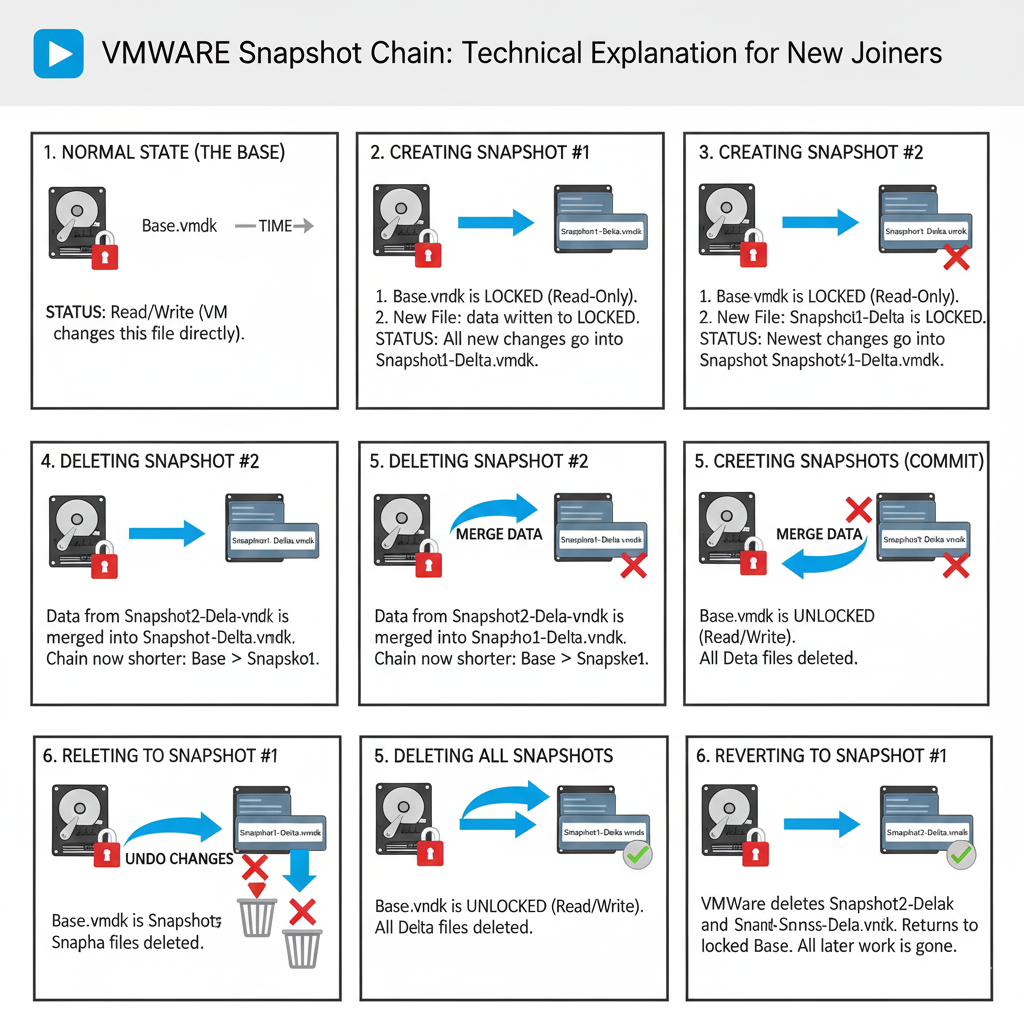
What a snapshot is
A snapshot preserves the VM's disk state (and optionally memory) at a point in time by creating delta files on the datastore instead of copying the whole VMDK.
How snapshots are stored
Each snapshot adds one or more delta VMDK files that hold new writes, while the base disk becomes read‑only until consolidation merges changes back.
Operational guidelines
- Use snapshots for short‑term protection (patches, changes), not as long‑term backups.
- Limit the number and lifetime of snapshots to avoid datastore growth and performance issues.
- Ensure backup tools manage and consolidate snapshots correctly after jobs complete.